
Flow Engineering changelog
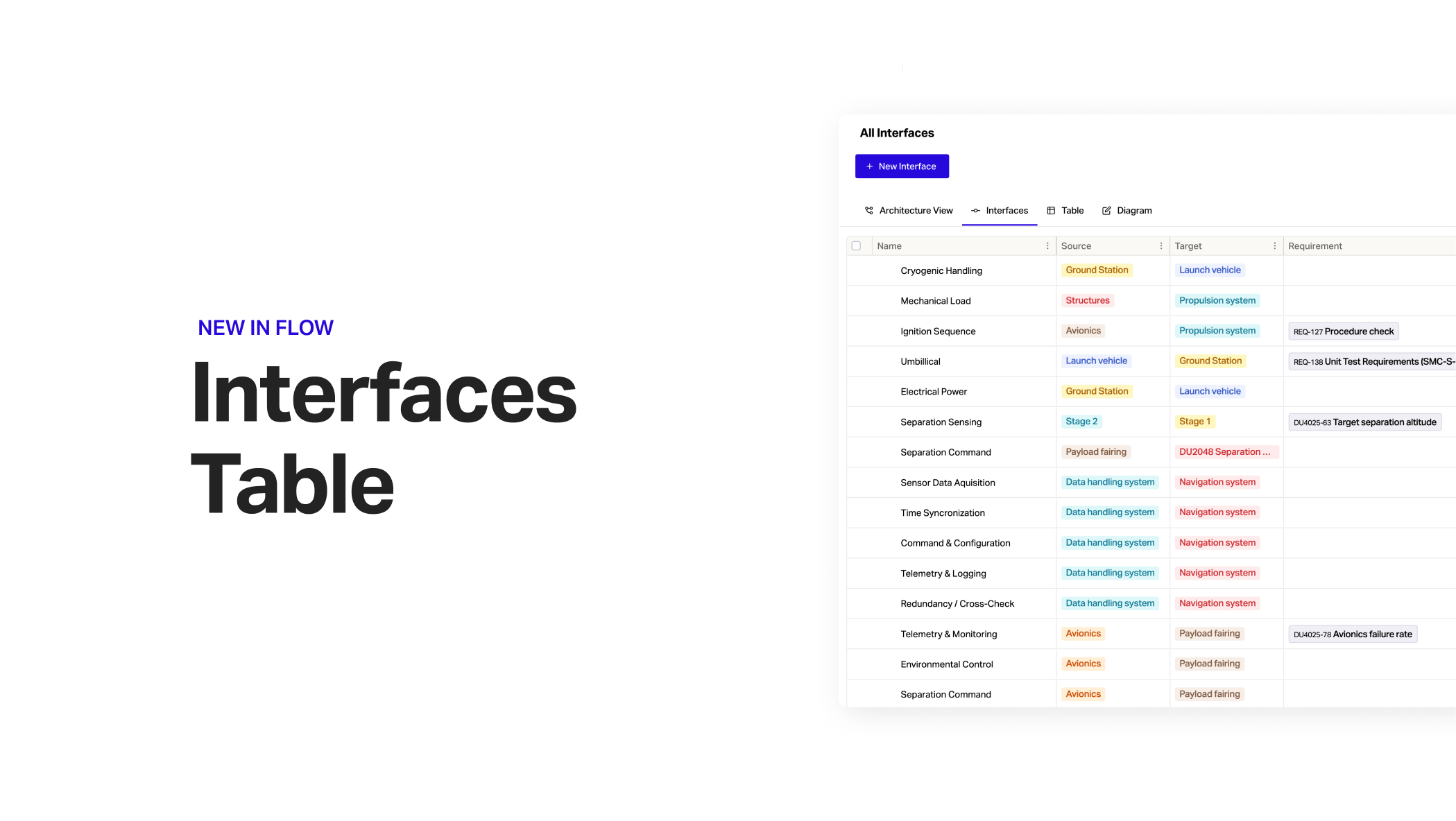
Interfaces Table
Interfaces Table
A more intuitive way to manage interfaces between systems is now available in Architecture view.
Quickly define, view and update your system interfaces in a single place.
Navigate to Architecture > Interfaces to get started.
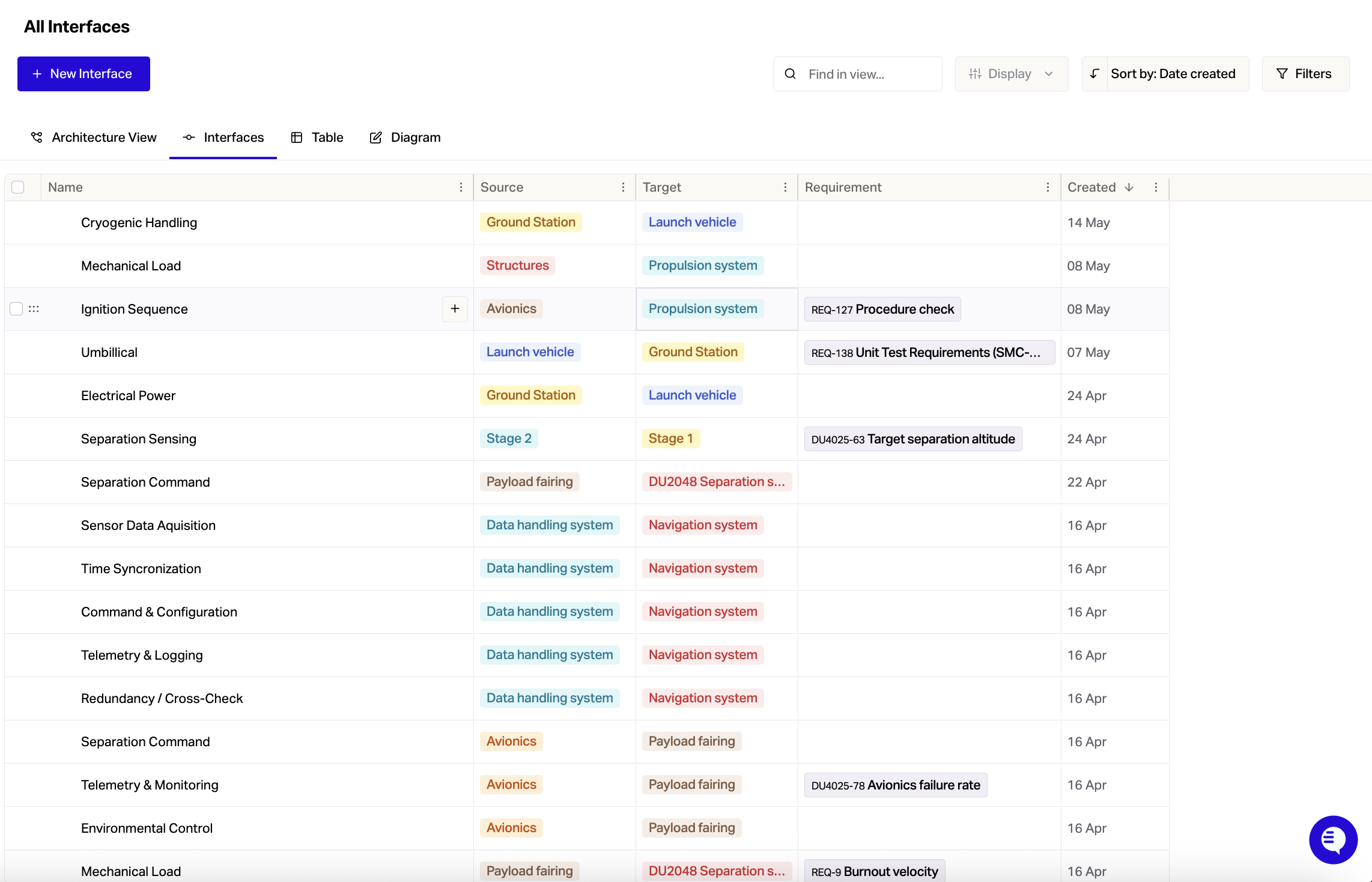
We're continuing to expand Architecture features based on your feedback with more updates coming next month.
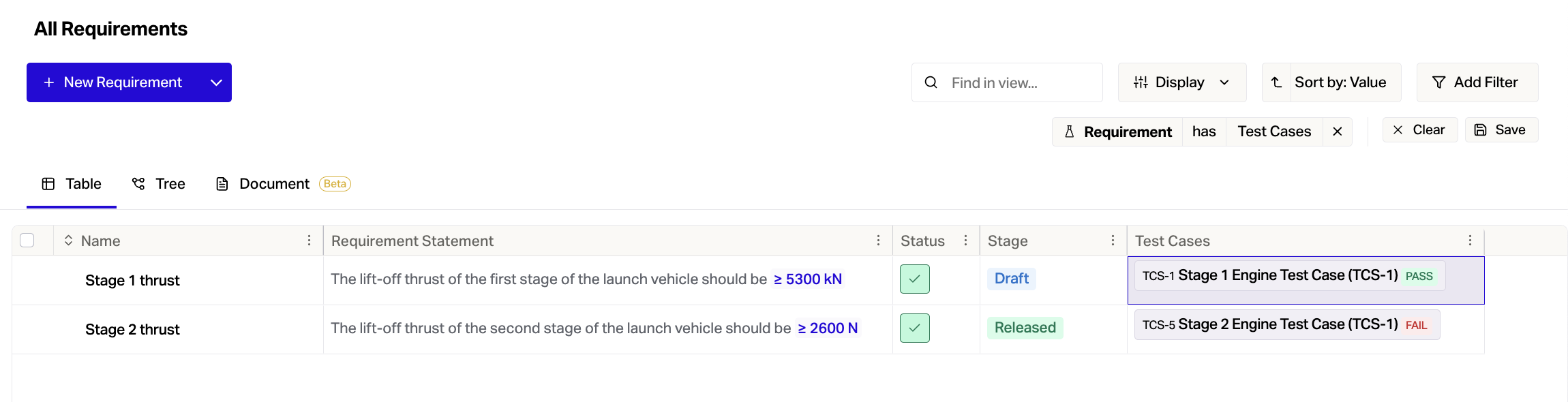
Test Case Results in Requirements Table
You can now view the latest test results directly in the Requirements table, making it simpler to spot what's passing, what's failing, and what needs attention.
To make results tracking easier, go to Requirements table > Choose columns > Test Cases > Drag to table > Expand column width to use it.
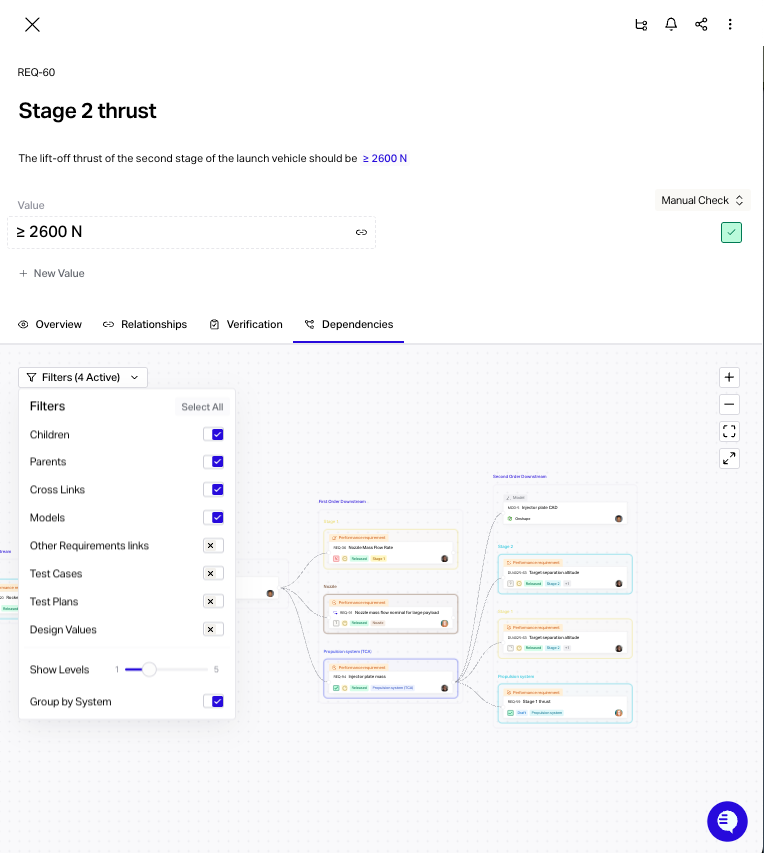
Toggle Systems Grouping in Dependency View
You can now view the dependency tree with system grouping or as a hierachy.
Quickly toggle between views and get the information you need more easily by going to Dependencies > Filters > Group by System.
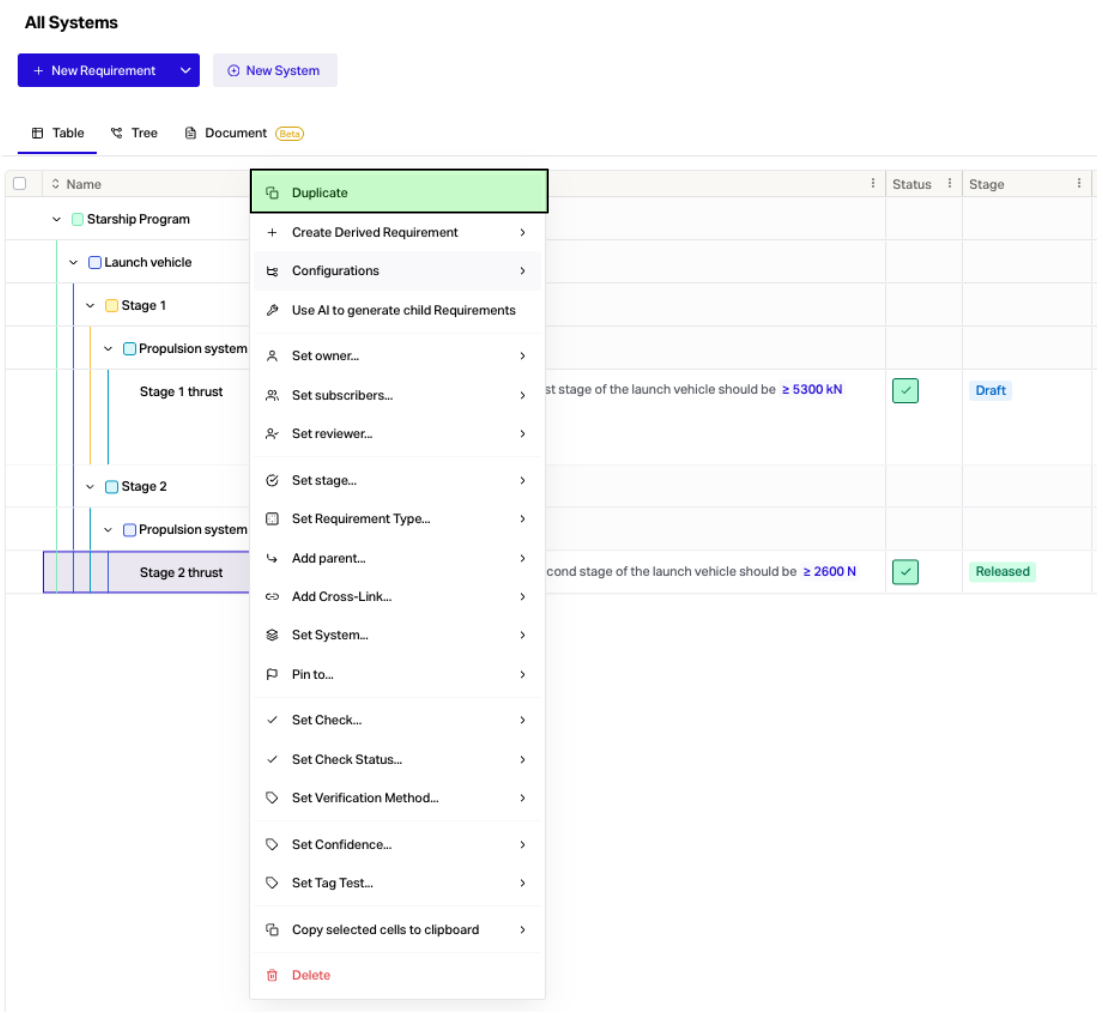
Preserve Parent Child Links When Duplicating
When you duplicate a requirement the parent child links, custom field values and systems will now be maintained.
Just right click on a requirement and select Duplicate to create a copy.
Other Improvements
New API endpoints for setting owners, reviewers & ranged values
We're scaling the app for giga-scale enterprise projects