Flow Engineering changelog
Sort Test Cases and Systems
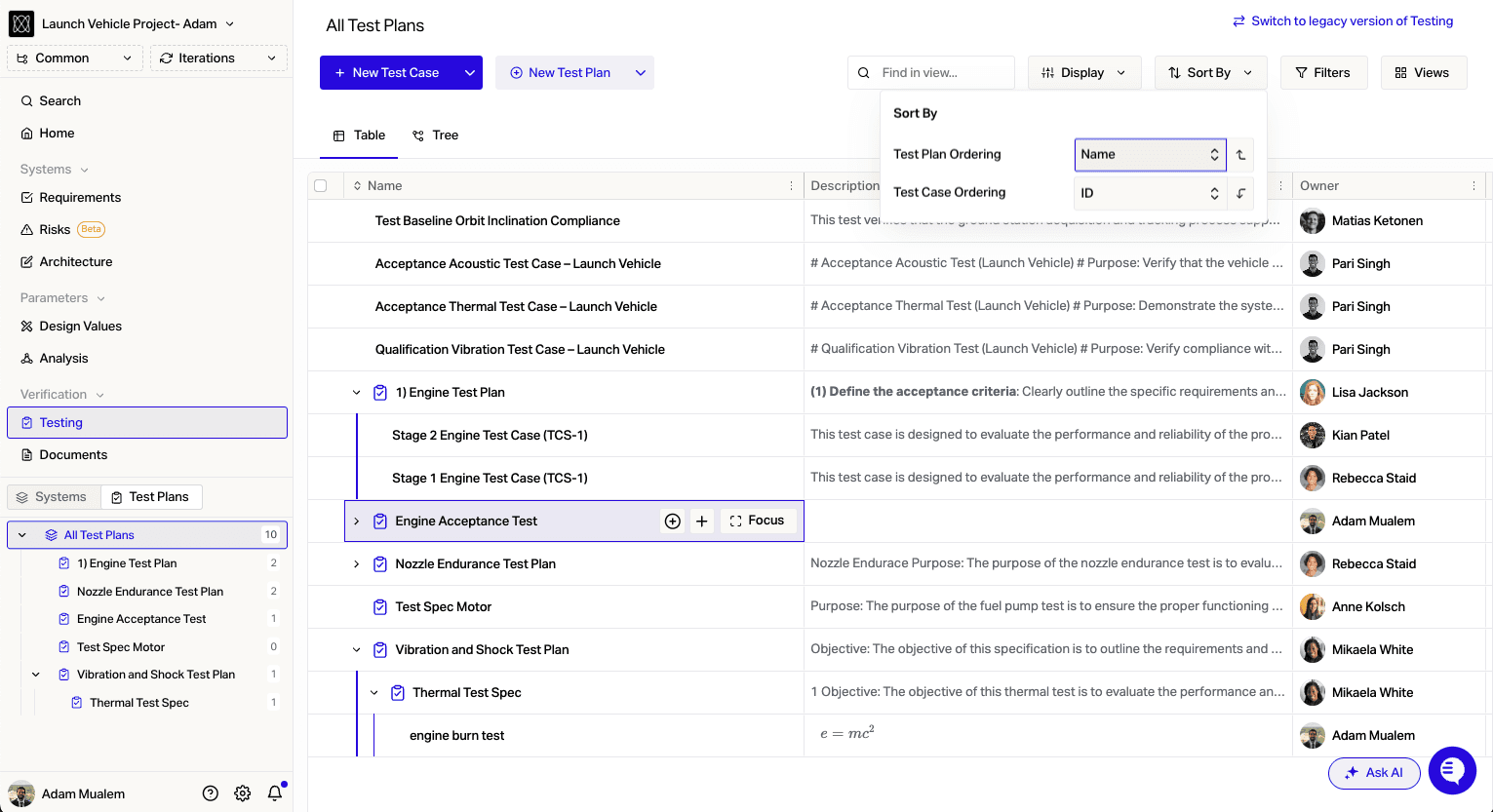
You can now manually sort Test Cases and Systems
Import Test Steps
You can now import Test Steps with Test Cases. You can find instructions here.
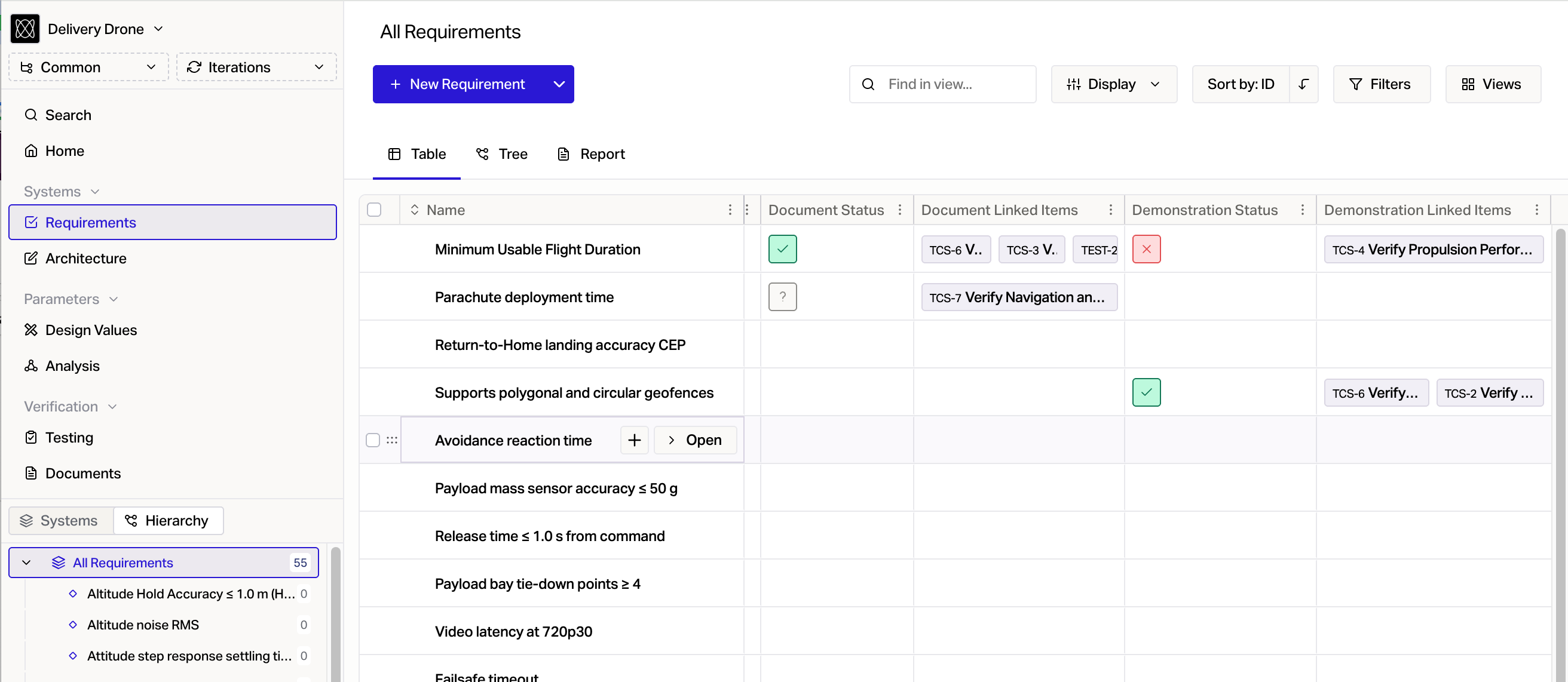
Export Verification Methods in CSV with Status and Linked Items
API Methods
New API methods for Interfaces, Documents, and attaching files to Test Case / Test Run
Share Systems Externally
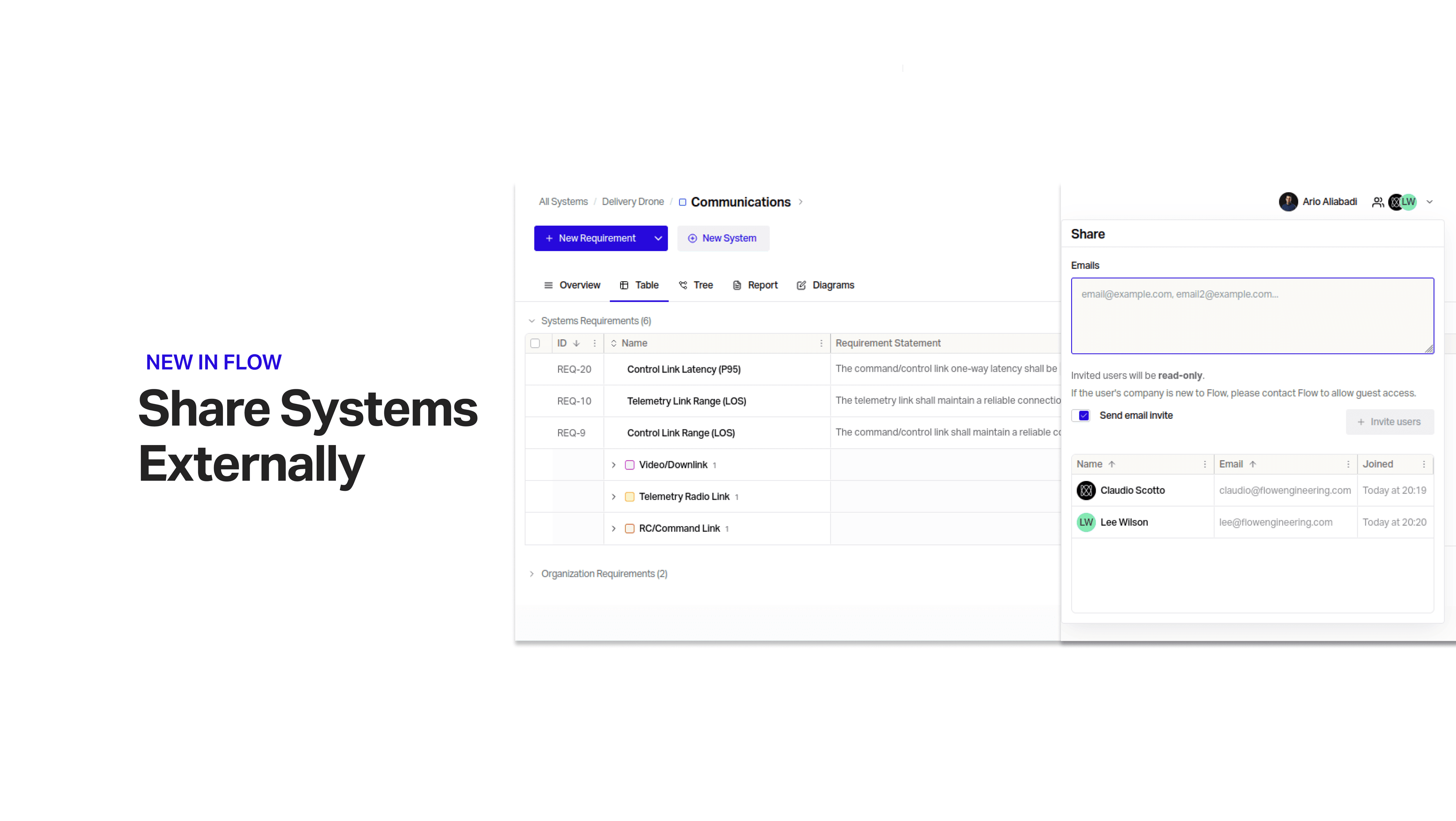
Invite collaborators, suppliers and regulators into Flow to view your design.
Stage Reviewers
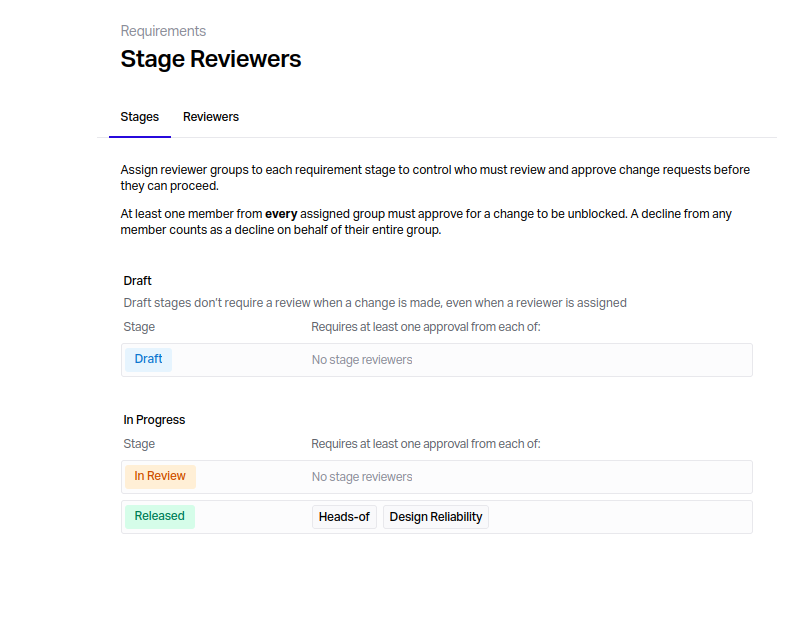
Set groups of Reviewers on protected Stages to stay compliant with ARP-4754.
Link Test Runs to Jira Issues
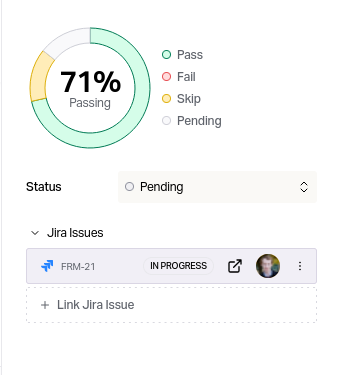
Track the work to carry out your testing by linking Test Runs to issues in Jira
Dereferenced Values in Flow Text via API
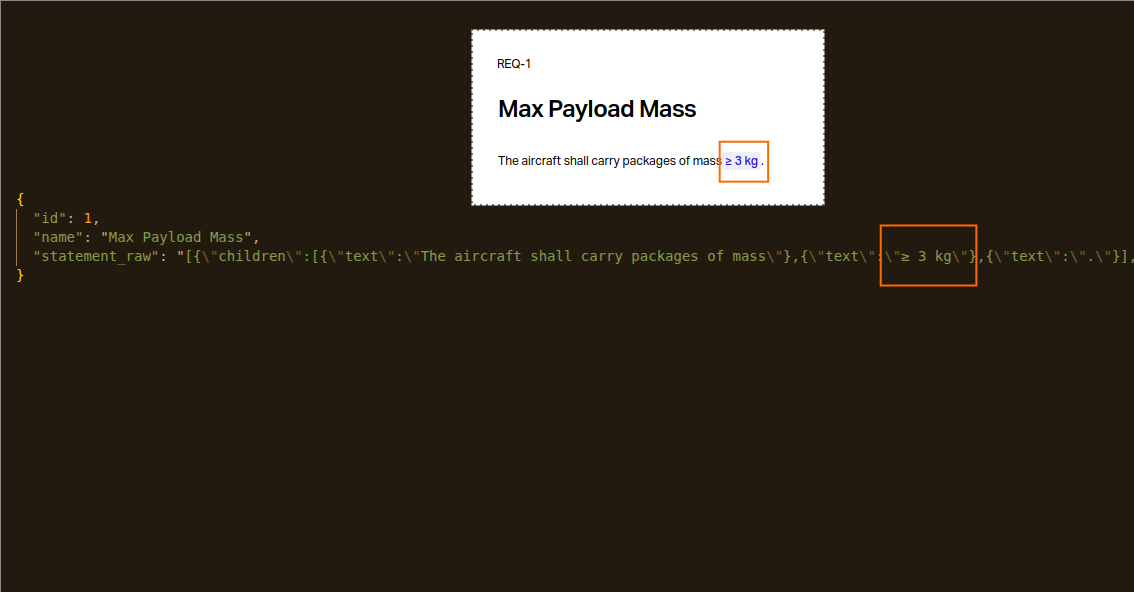
You can now access dynamically referenced values in Requirement statements, and other parts of Flow Text in responses from the API
Execution Tab for Test Plan
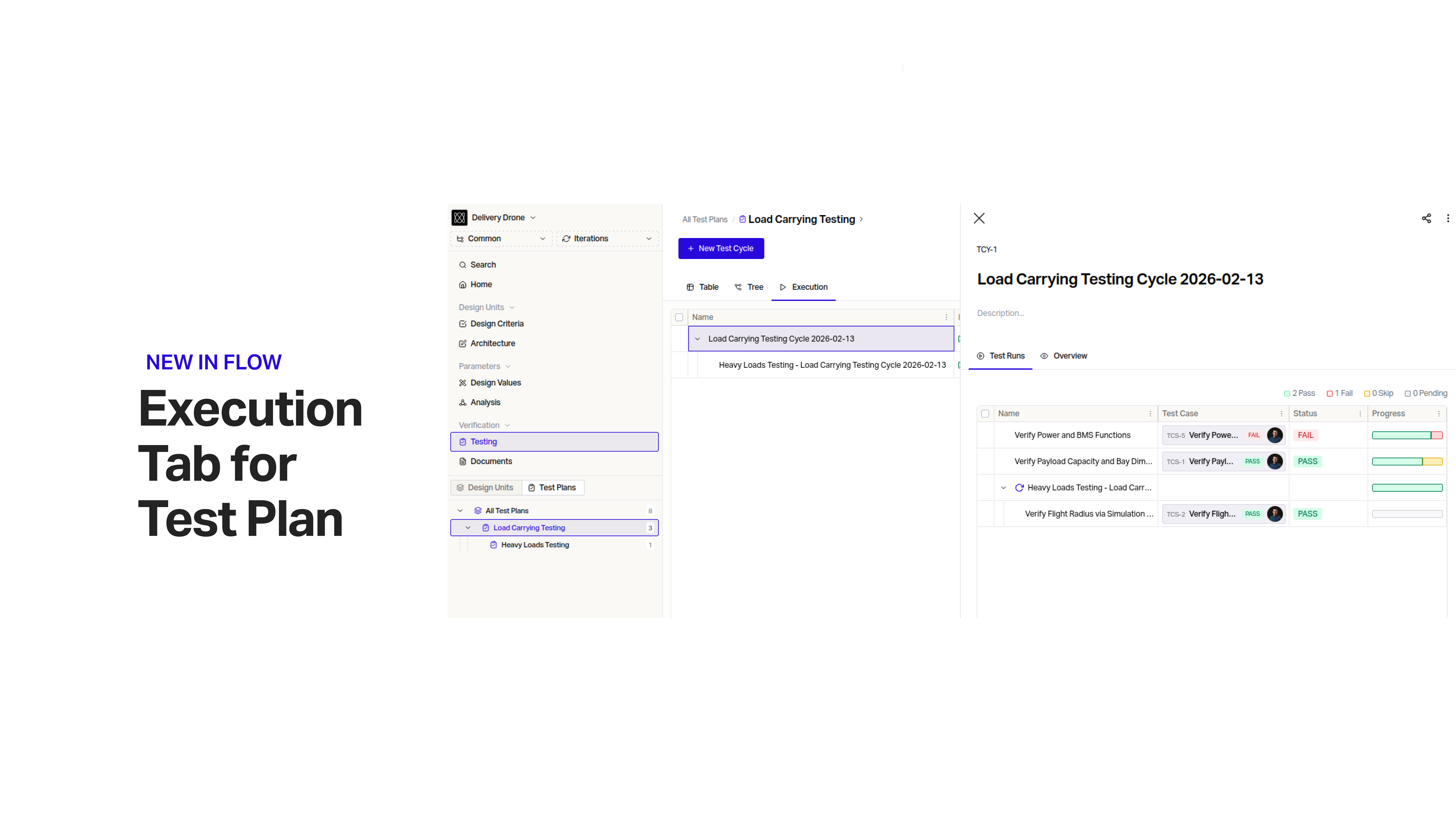
View and easily navigate through the execution of your Test Plans, and drill into parts of the design that are failing verification.
Disable Interface Labels in Architecture View
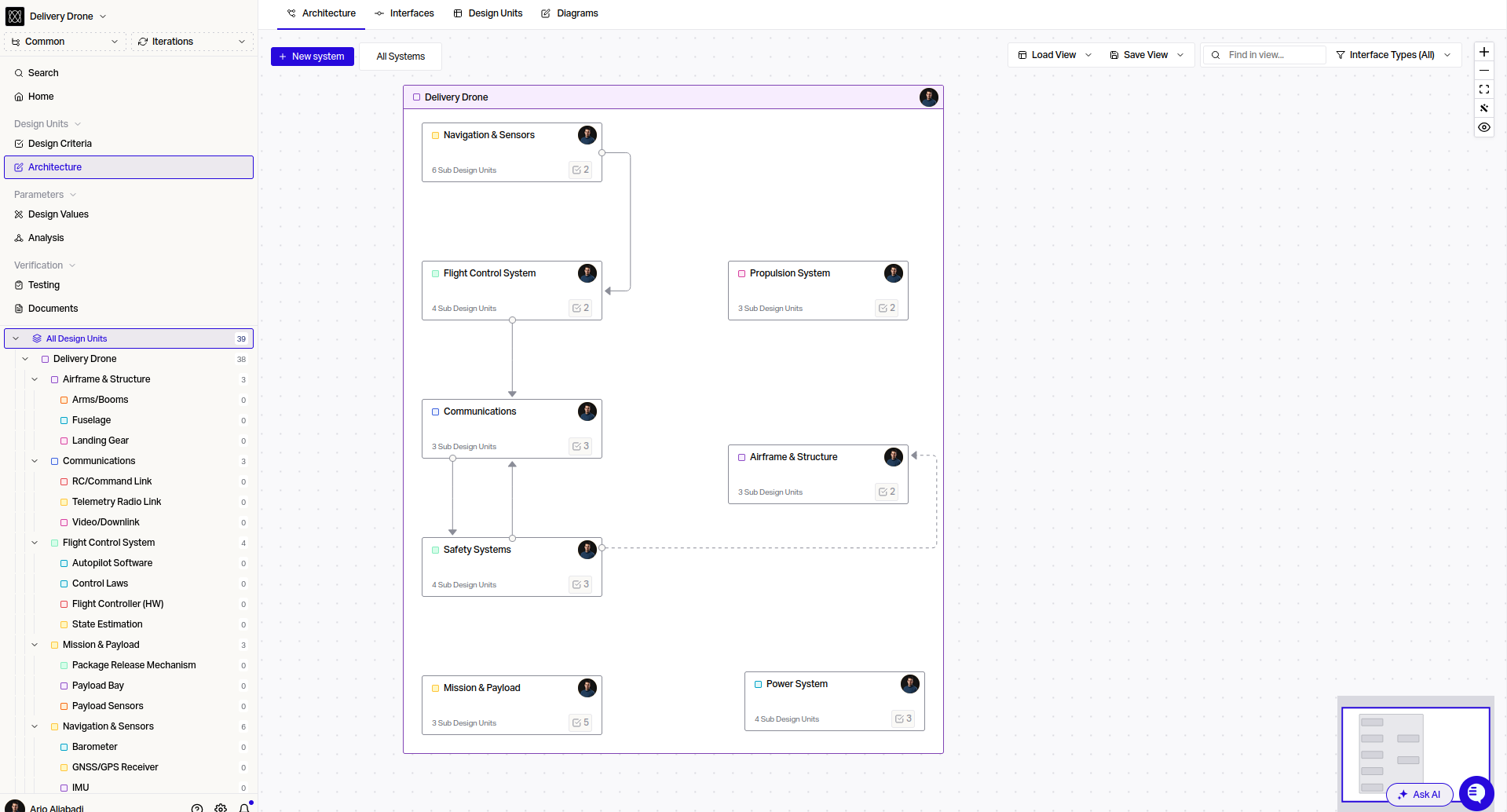
Disable Interface labels to clearly see the different interfaces between your Systems as your architecture complexity increases.
Filter Test Cases by Requirement and Configuration
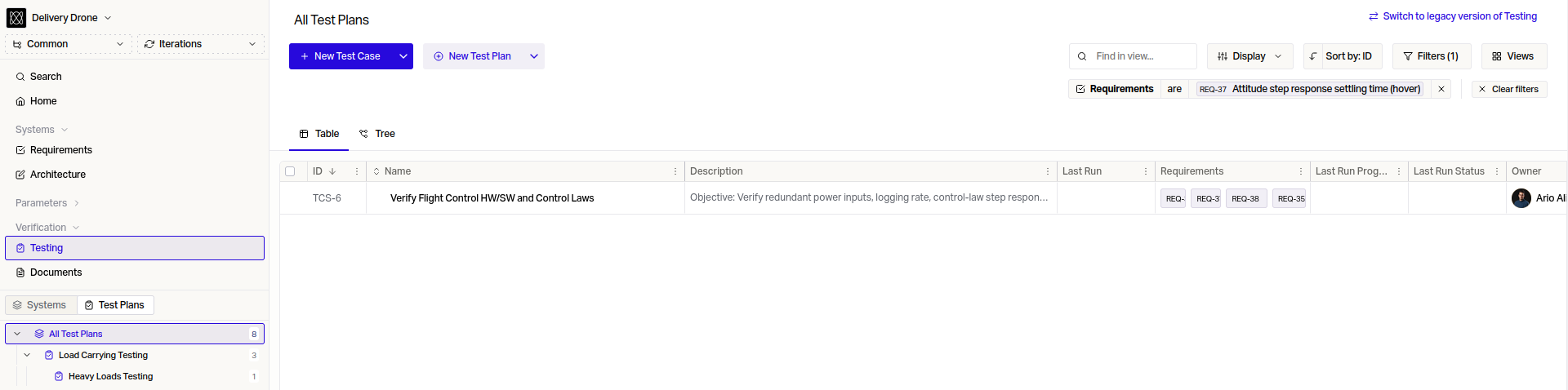
Filter your Test Cases by Requirement and Configuration.
Enhanced Test Runs
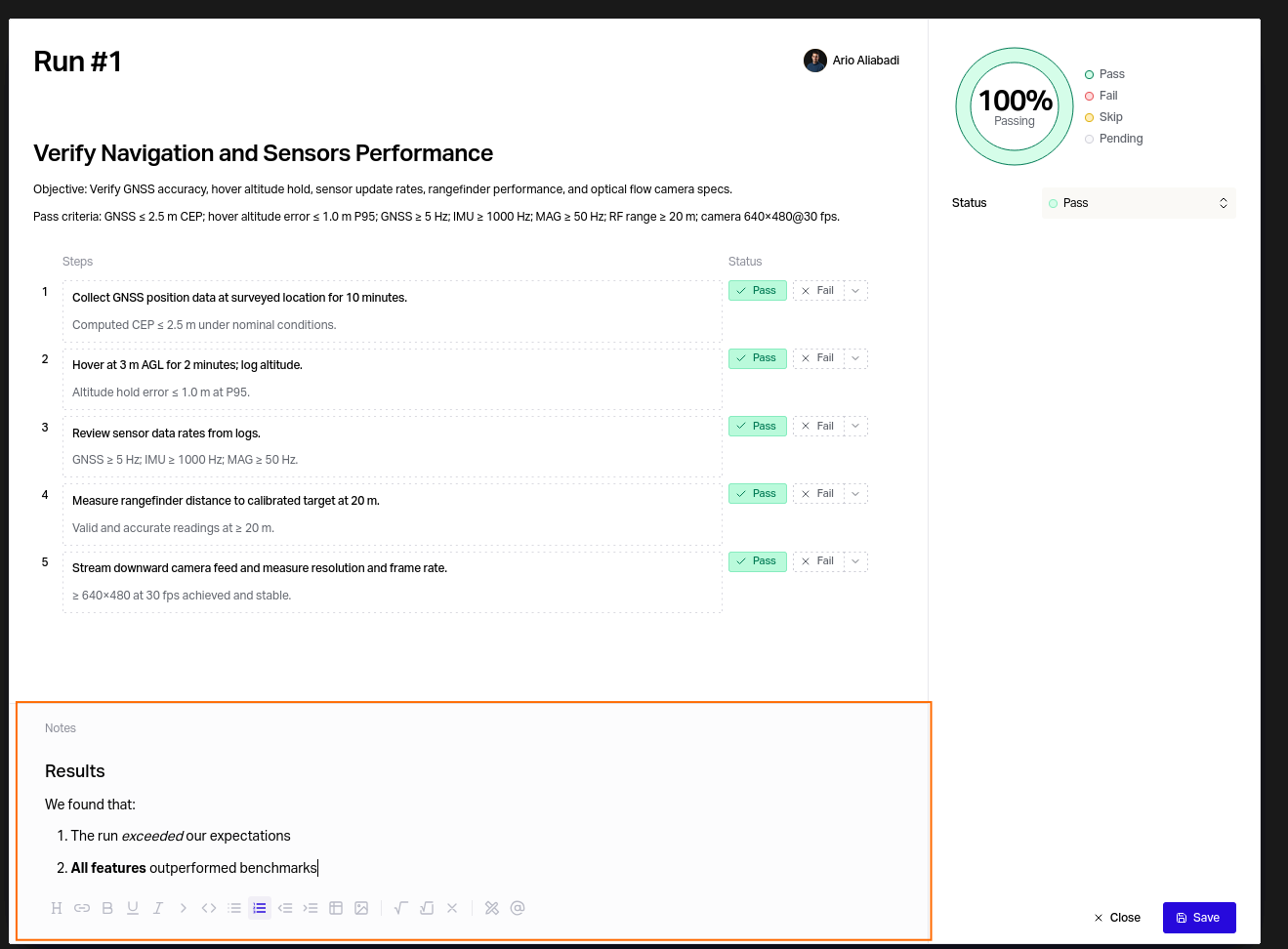
You can now display a last Test Run column on Test Cases. Test Run notes support Rich Text.
Unified Testing View
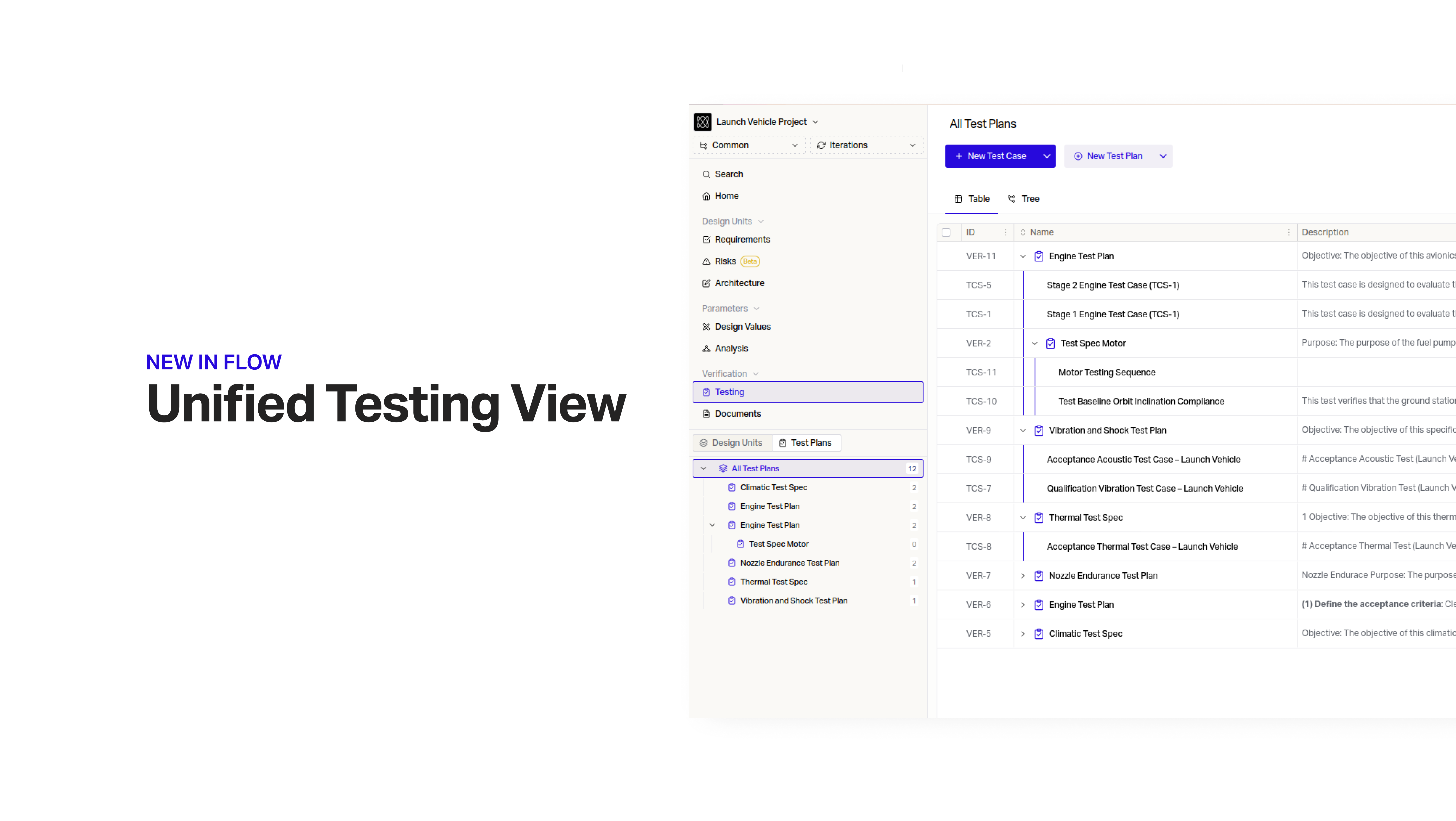
View, organize, and navigate your Test Cases by Test Plan. Organize your Test Plans by sub-Test Plan to group and structure your tests.
Interfaces CSV Export
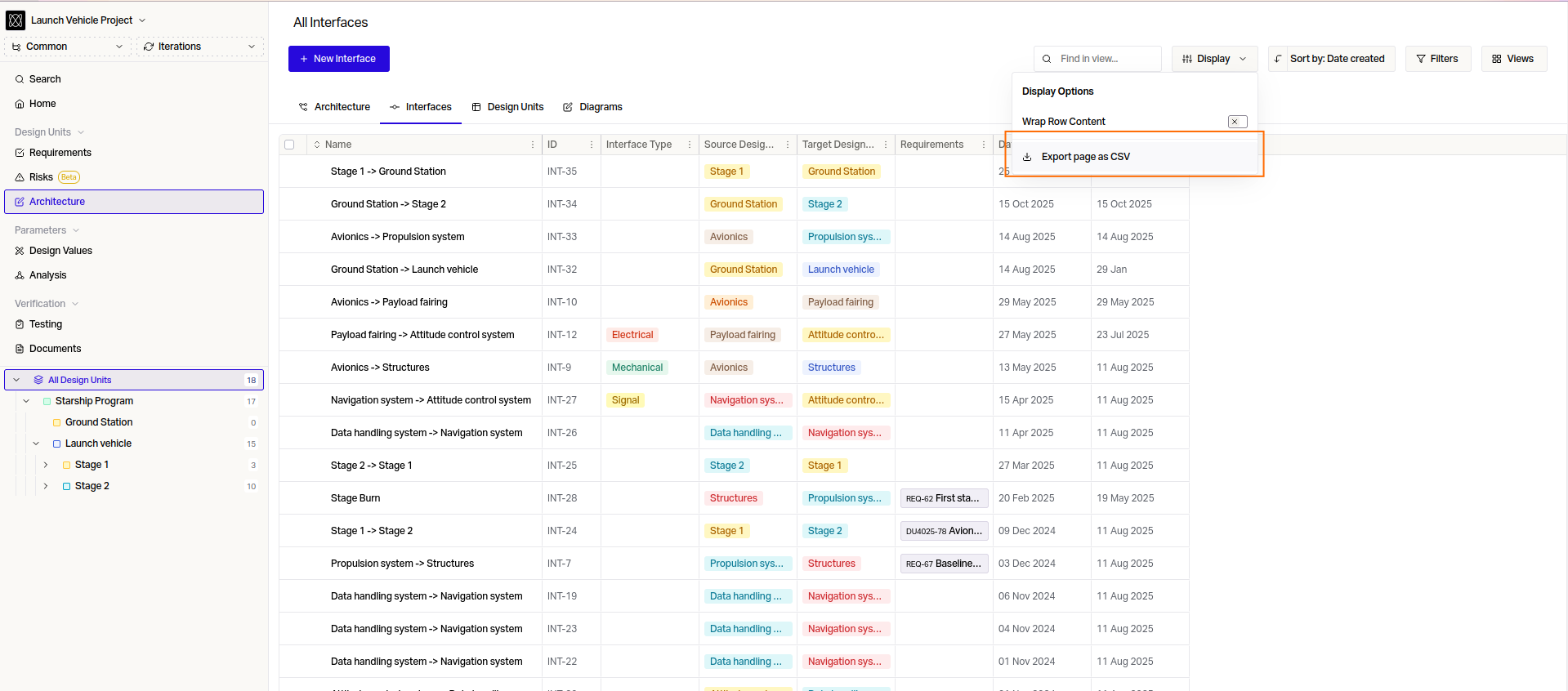
Export your Interfaces to be shared with external parties.
Iterations
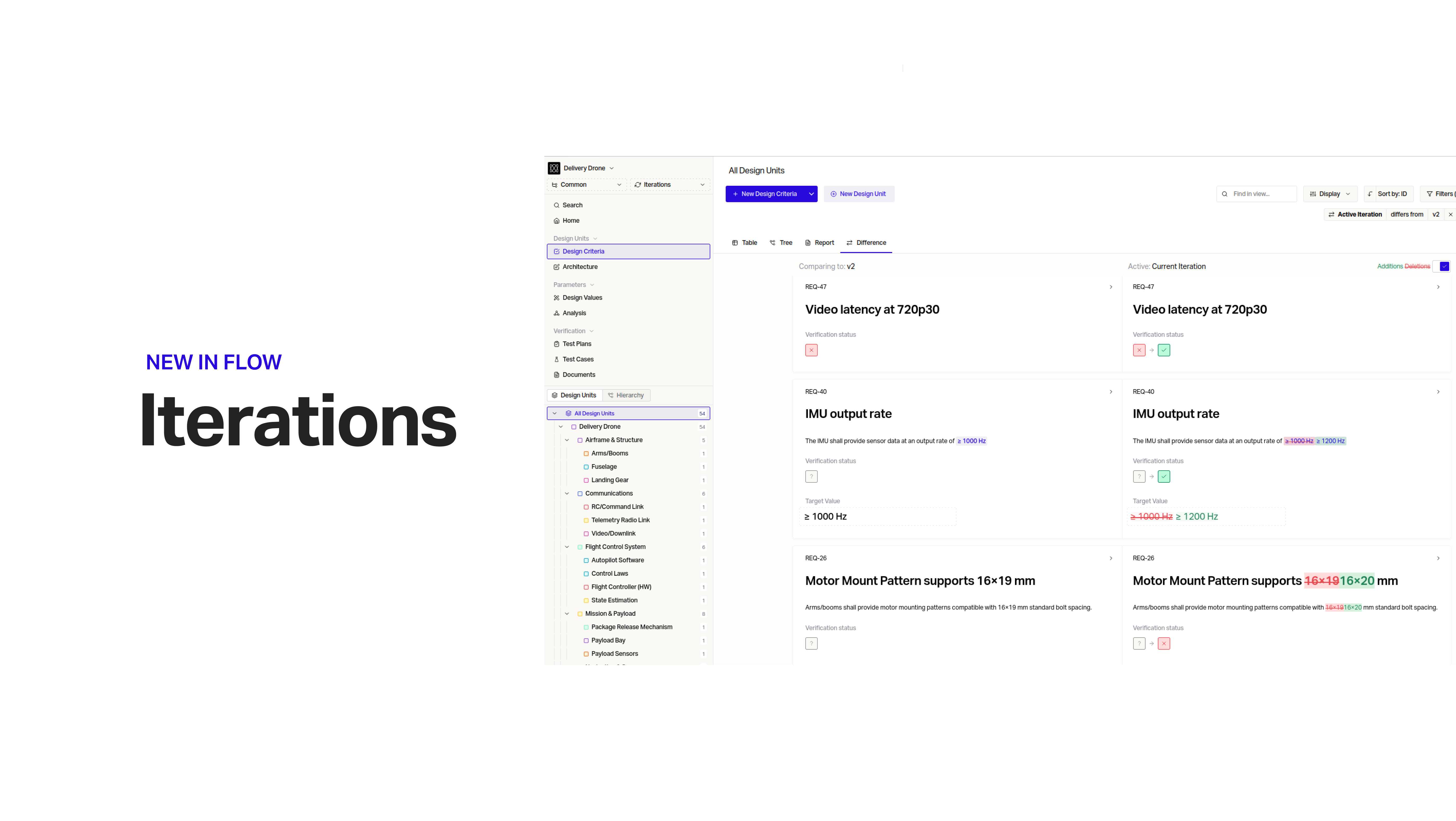
Your team is able to parallelize the Design and Verification of your program's different build gates in partitioned environments with side-by-side comparison views.
Report DOCX Export
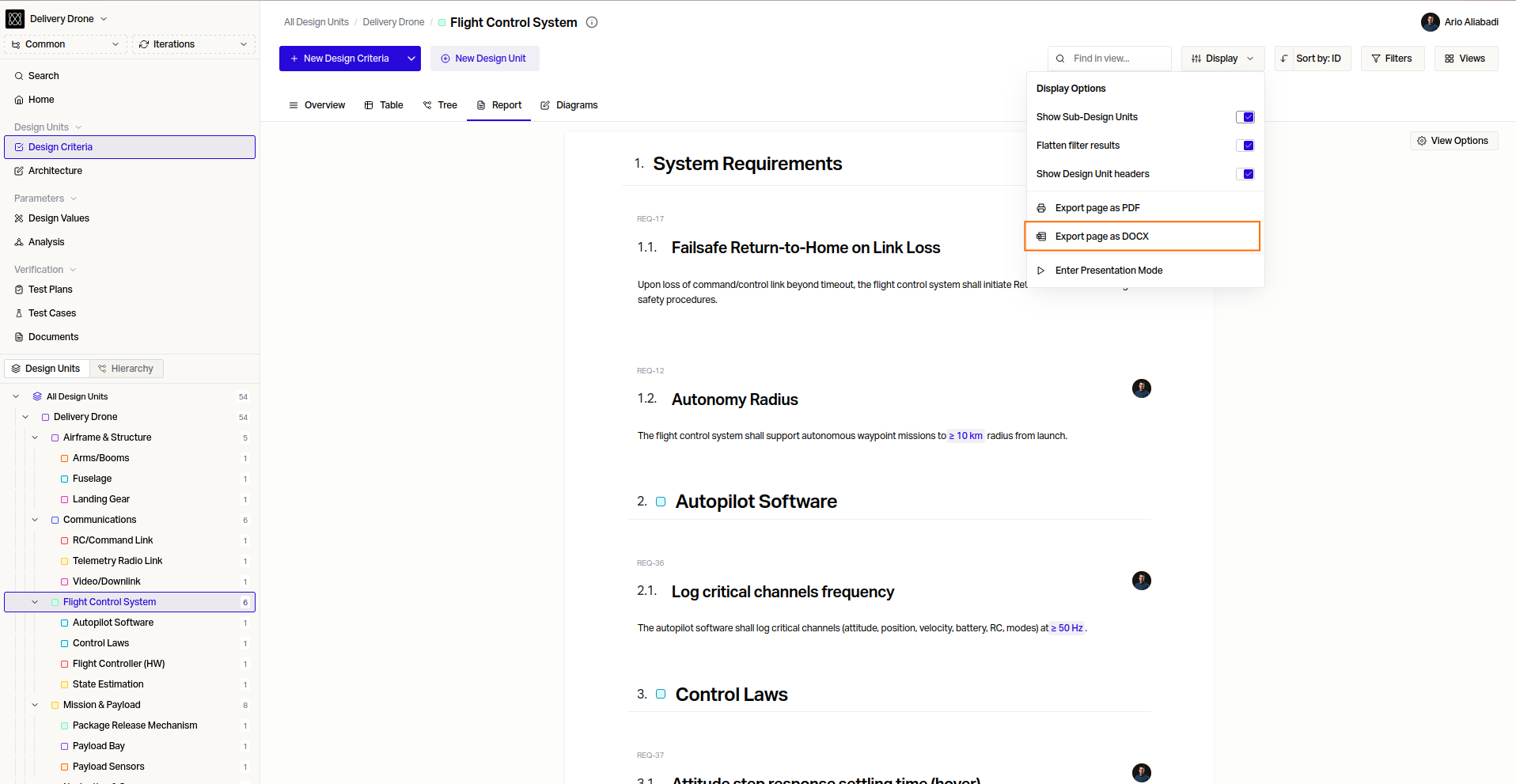
Quickly export a DOCX report of your System/Design Unit to share with suppliers and external parties.
"Current User" Filter
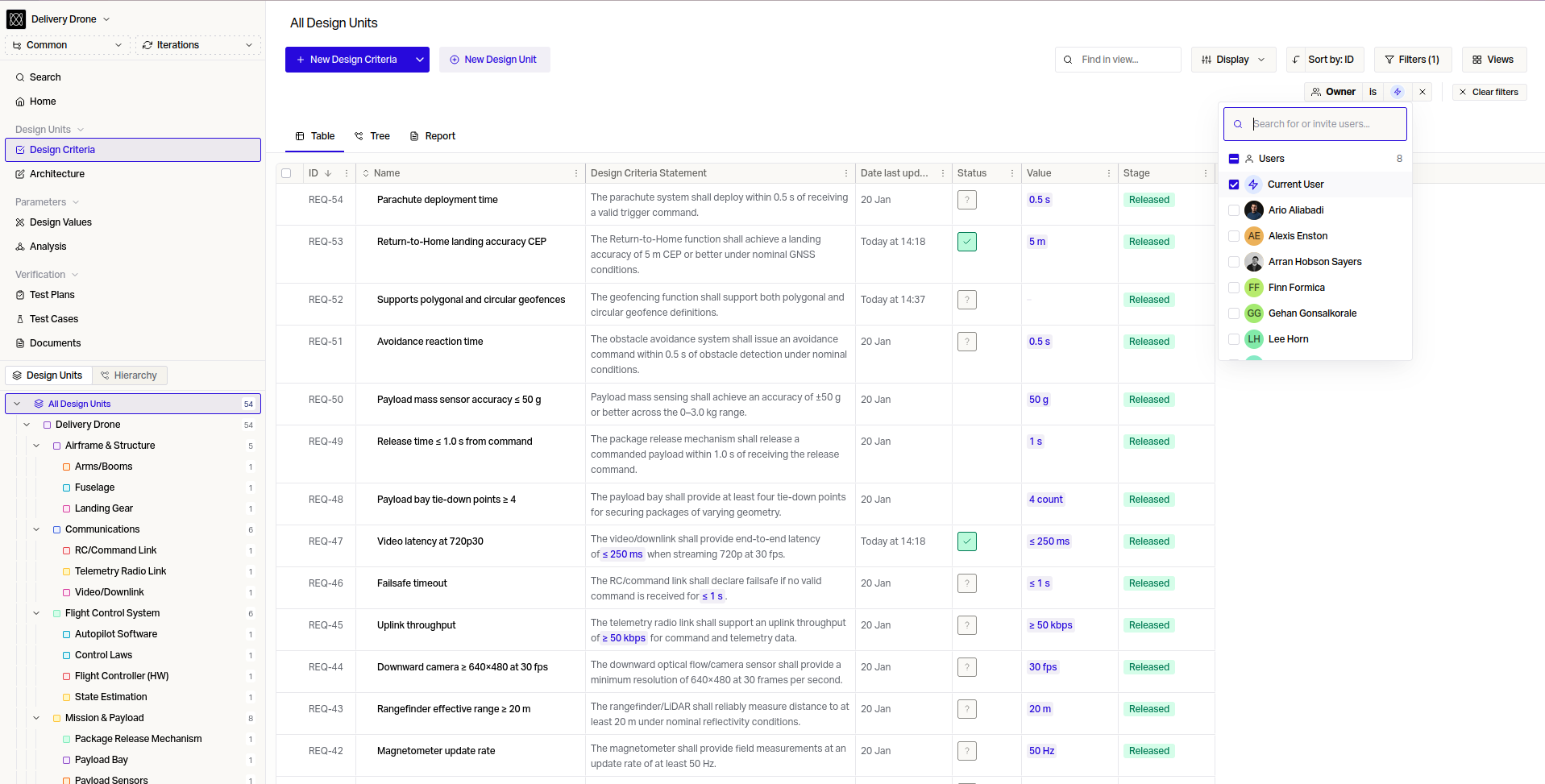
Use this to create and share Filters of the person using Flow— you do not need to create one for each colleague.
Cross-Project Document & Requirement Links
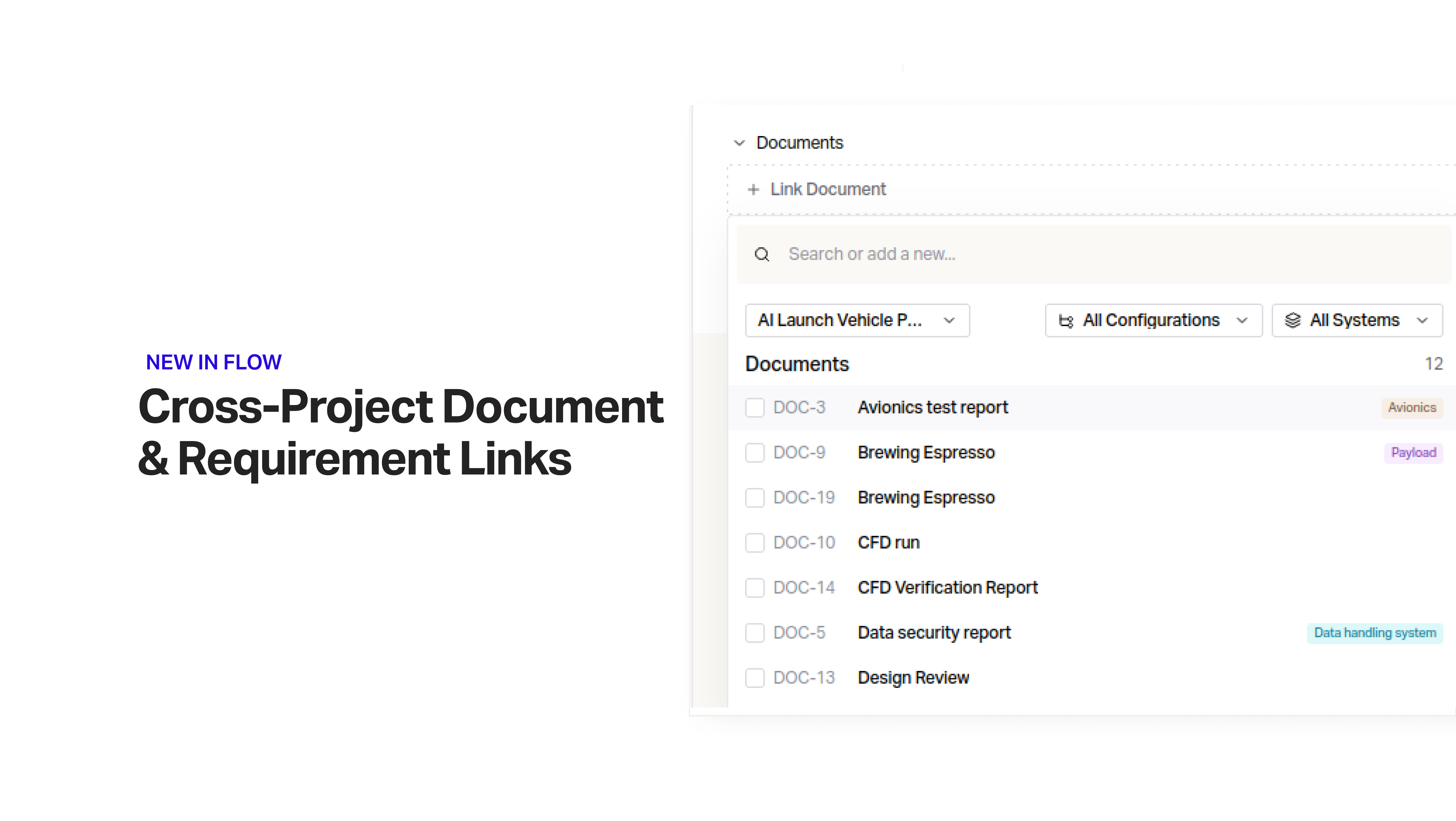
Documents and Requirements can now be linked across different projects. This can be used to reference analysis or reports done by different teams.
Filter by Text Custom Field
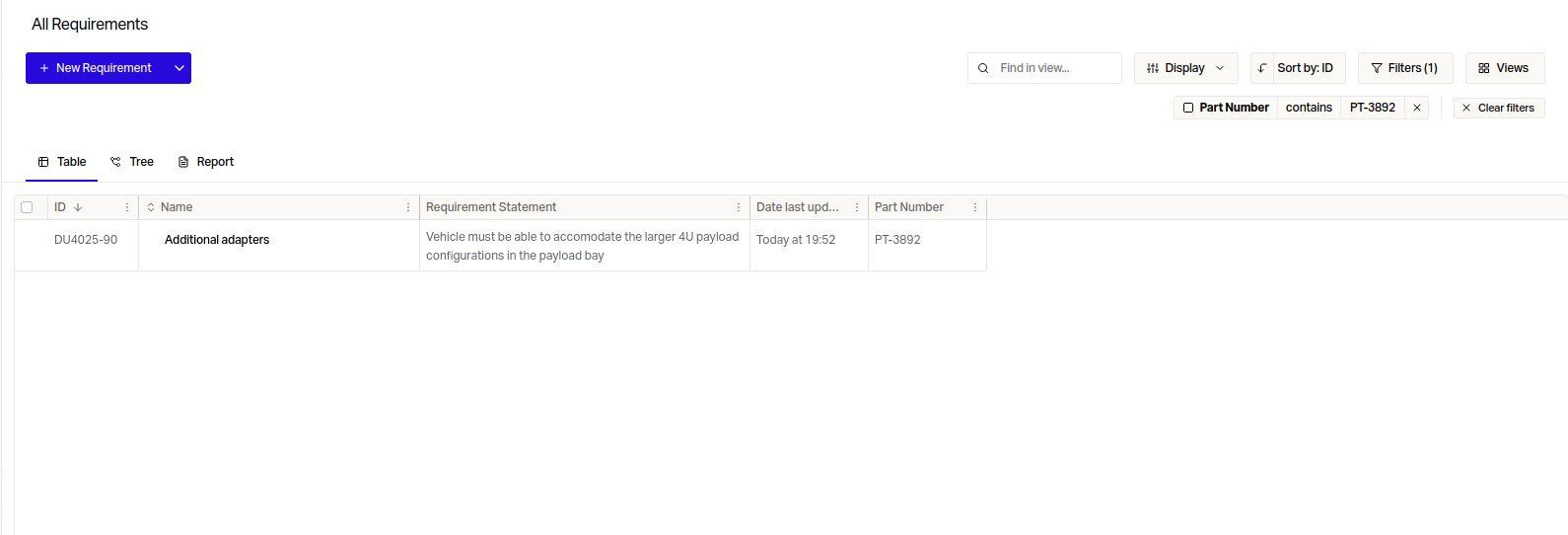
Text is now searchable within Text Custom Fields– both inclusions and exclusions.
Improved Test Case Creation
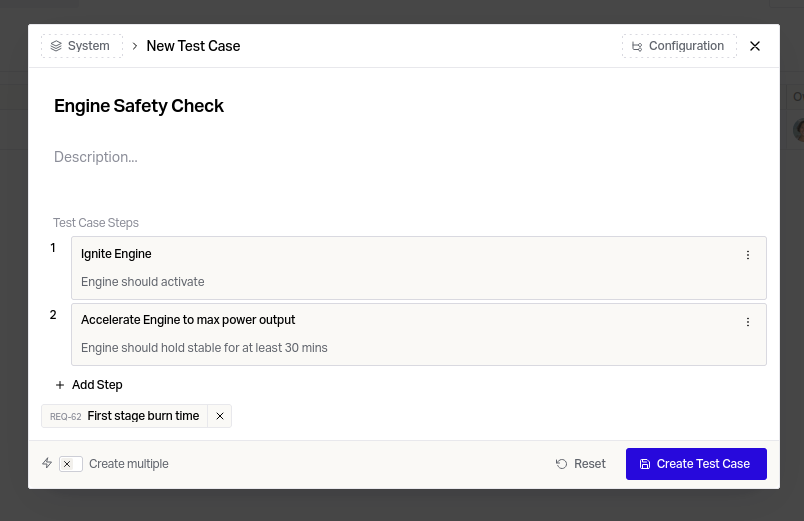
Test Case steps and linked Requirements can be defined in the Test Case creation modal.
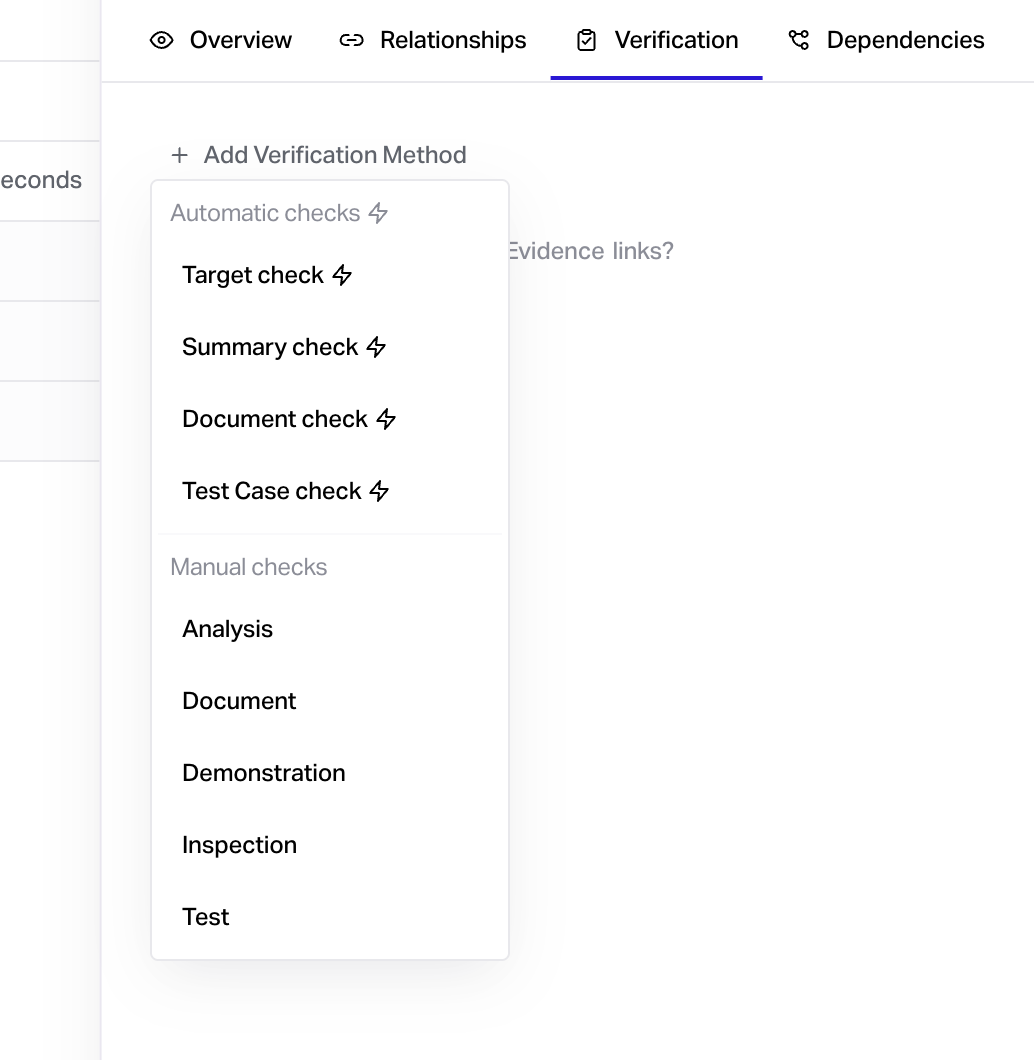
Verification Methods 2.0
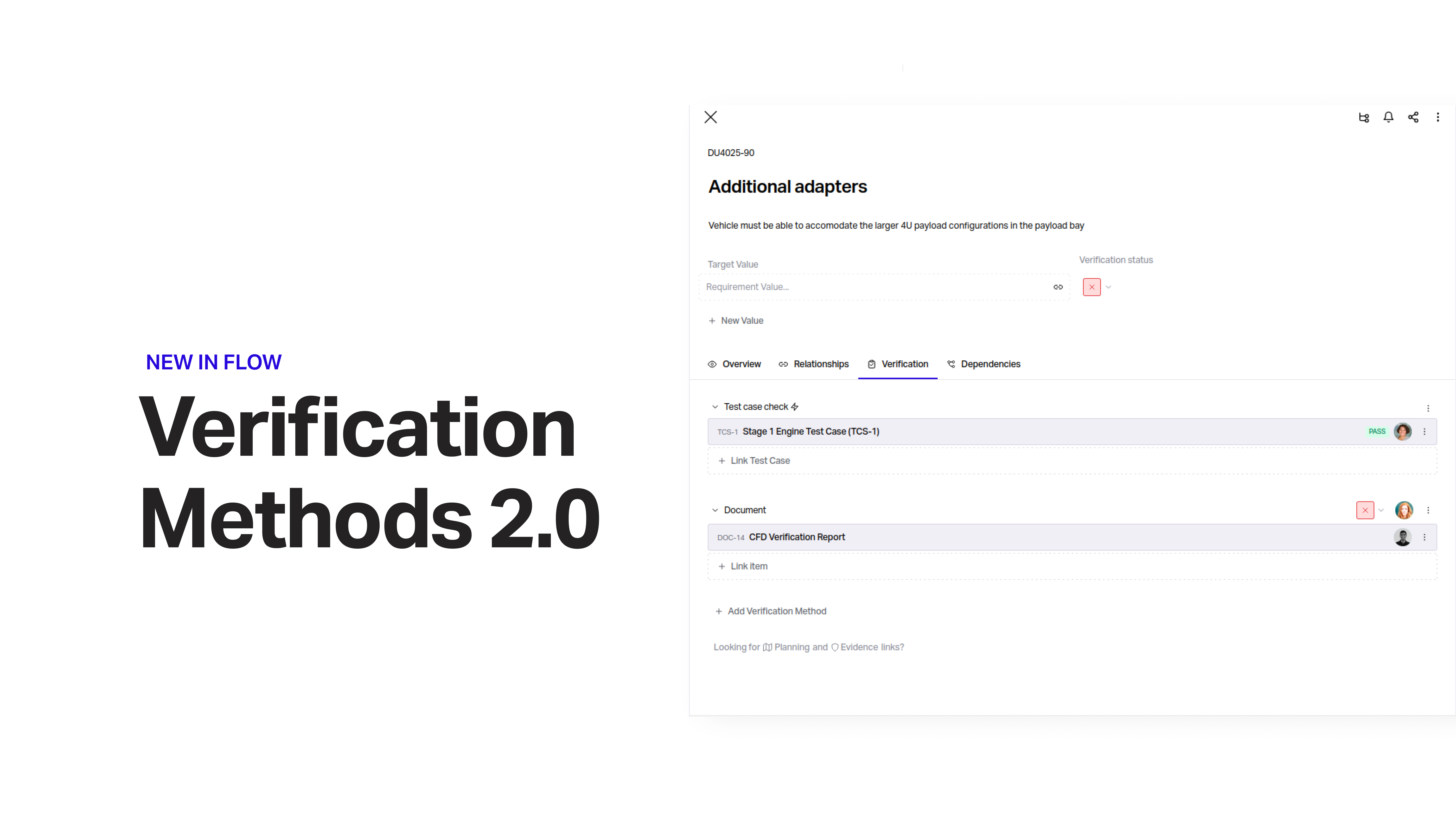
Verification Methods are now split into Automatic and Manual checks.
Use Automatic checks when you want your Verification to be driven from automated sources, such as Models, or Tests.
Manual checks allow you to get explicit sign-off from users from specific types of Verification.
Locate System
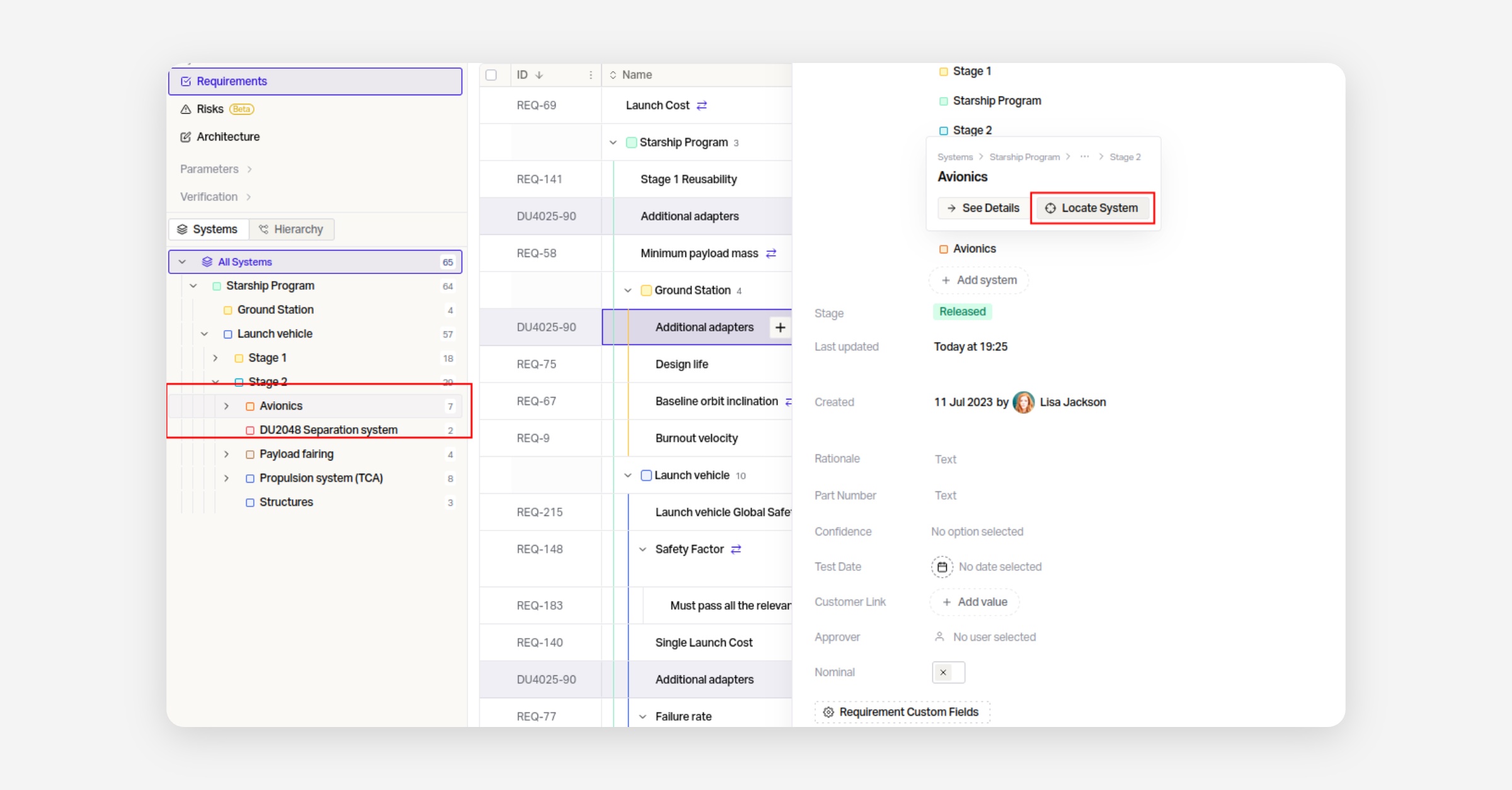
You can now easily locate Systems in the side bar from within individual items. Simply hover over a System to access the button.
Configurable Suspect Triggers
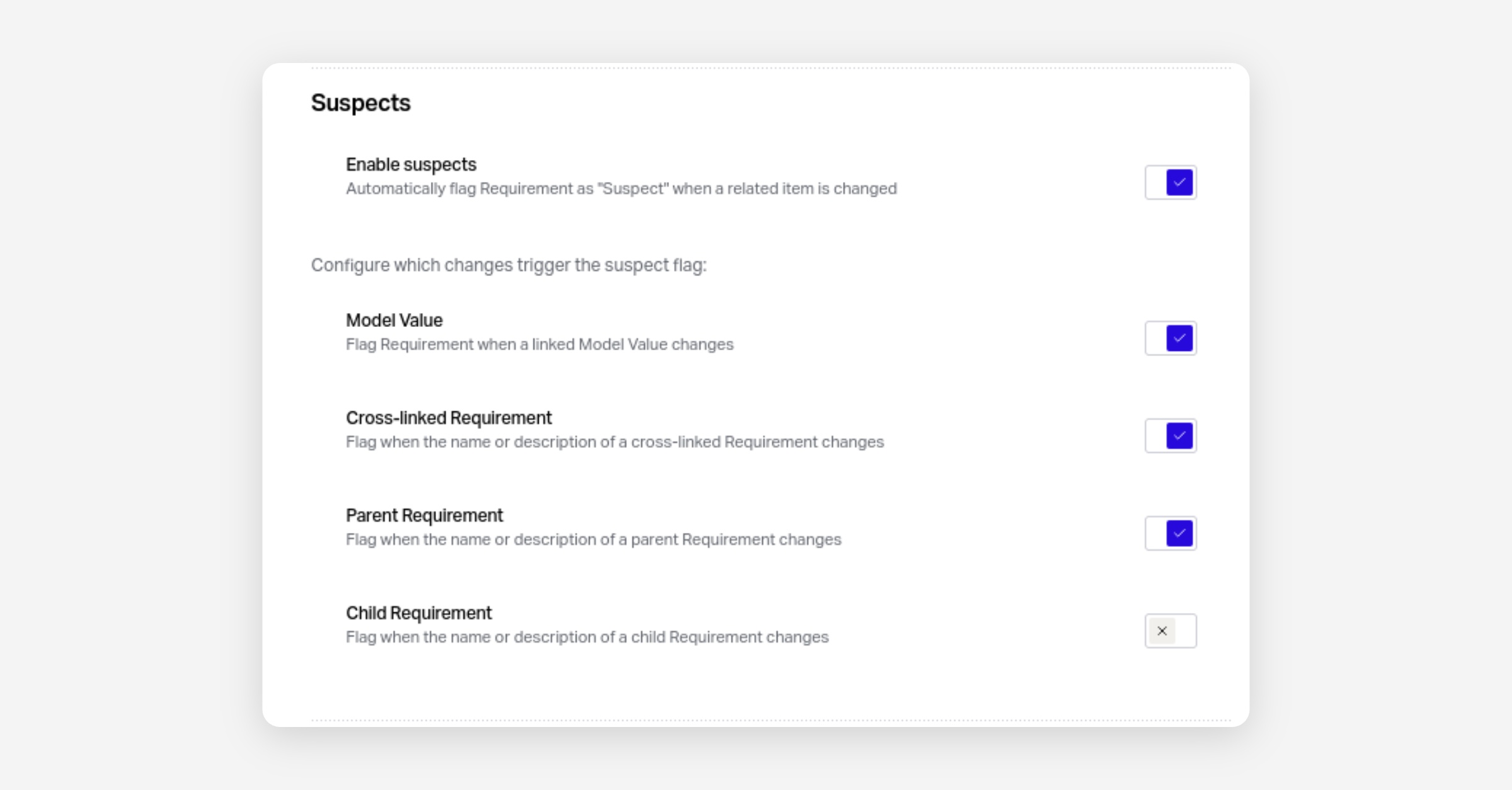
You can now configure which types of relationships cause items to be marked as Suspect.
Suspect triggers can be configured under Settings > Project > General .
Diagrams 2.0
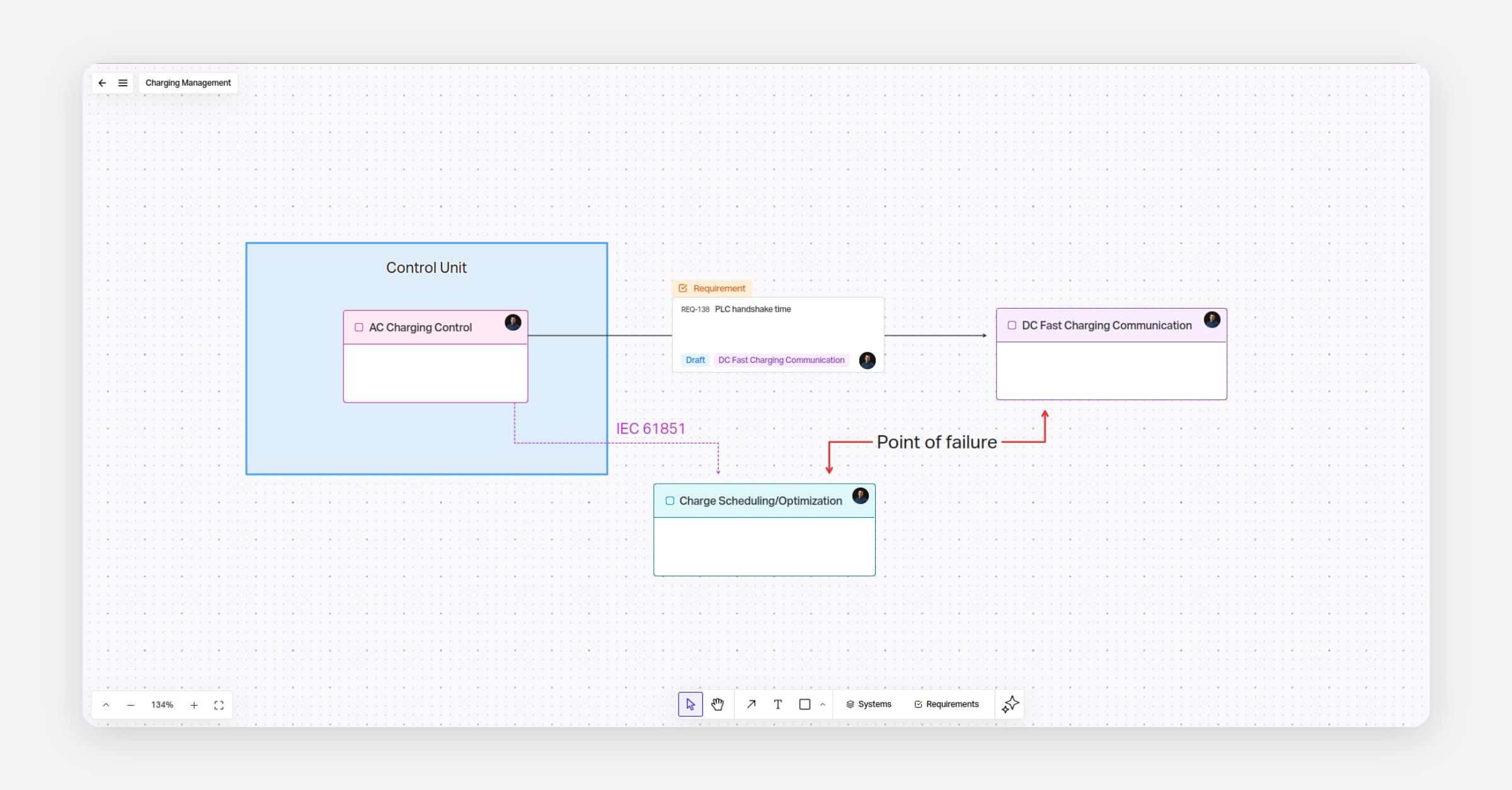
We've fully revamped our diagramming feature to be significantly more powerful and intuitive. You can easily arrange a variety of shapes and native Flow objects in a flexible and expressive way.
Diagrams are still a Beta feature - you can try them out under Settings > Project > Beta Features .
Document Sections
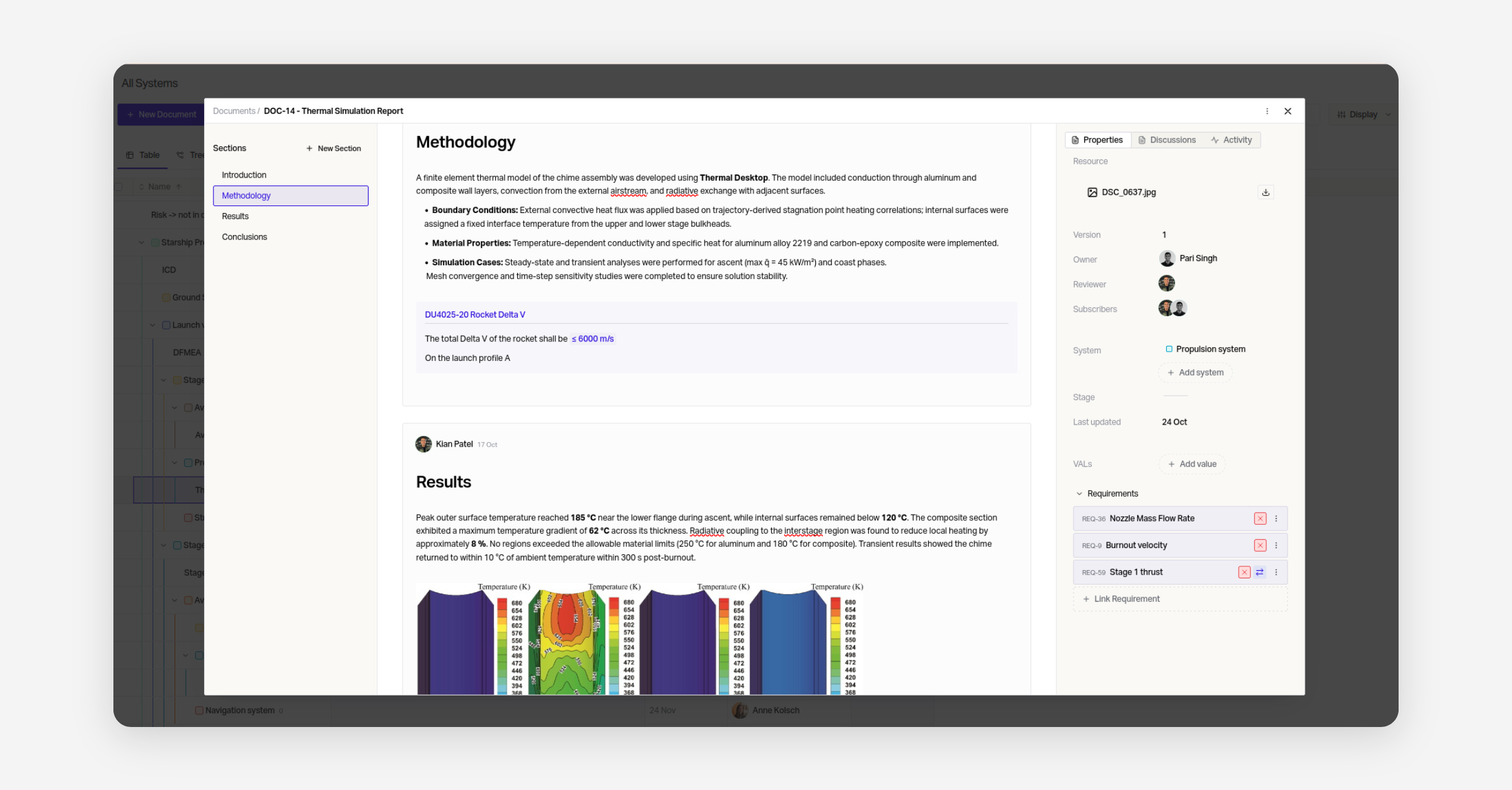
We're excited to release Document Sections. With these, your team can now write expressive, long form documents with your design deeply embedded. They're useful for communicating long-form findings that are relevant to your engineers, such as Analysis results.
Equations
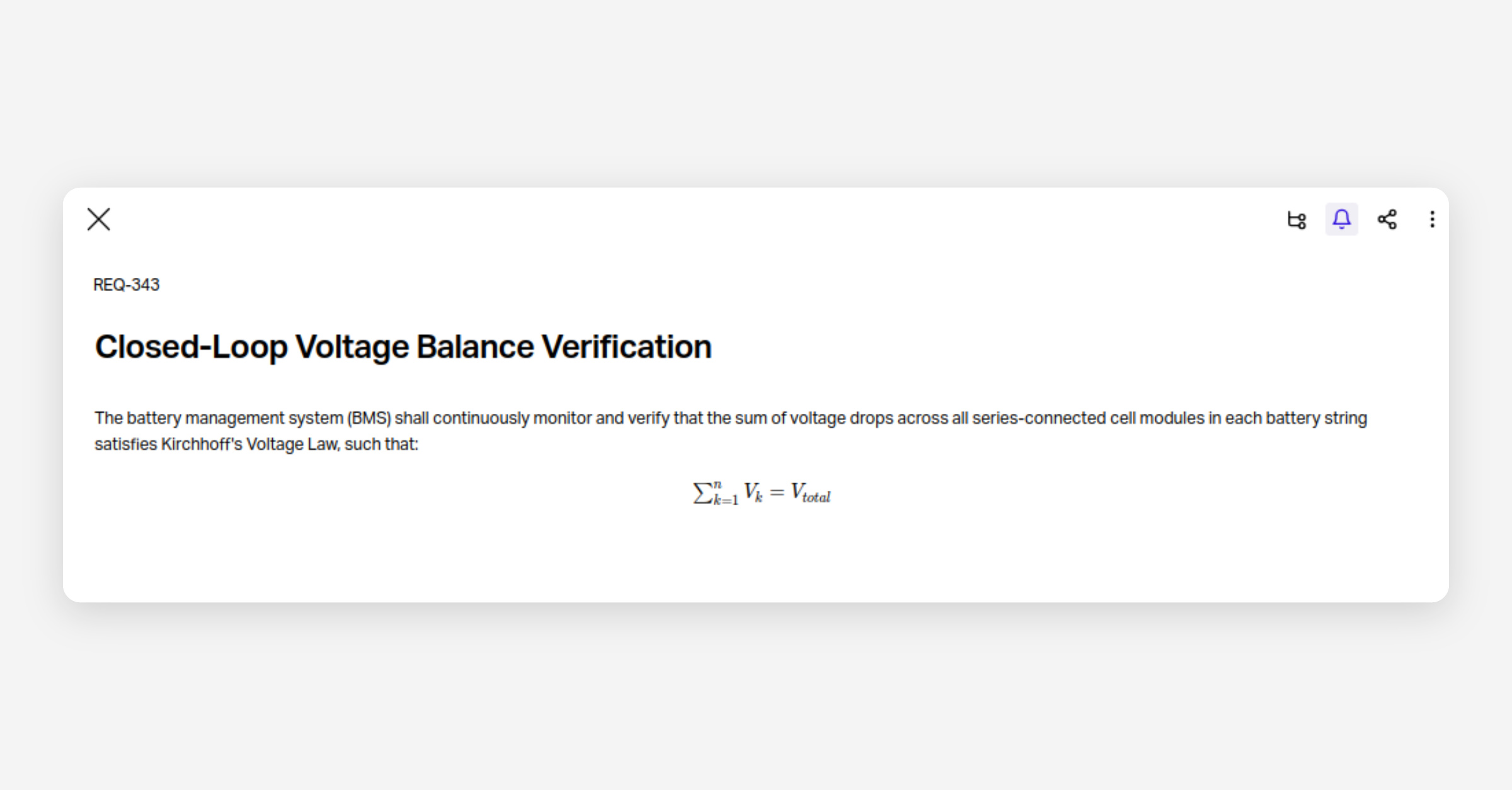
You can now express equations natively in Flow using LateX syntax.